AI receptionist in Canada: what it costs and what to check
In our example of a small business taking 150 calls a month that average three minutes, the AI receptionist plans we priced came to roughly $90 to $300 a month, and a human answering service to several times that. The software is the easy part. What decides whether it works is the setup: a recording notice, knowing where your calls are stored, a plan for emergencies, and someone checking what it says.
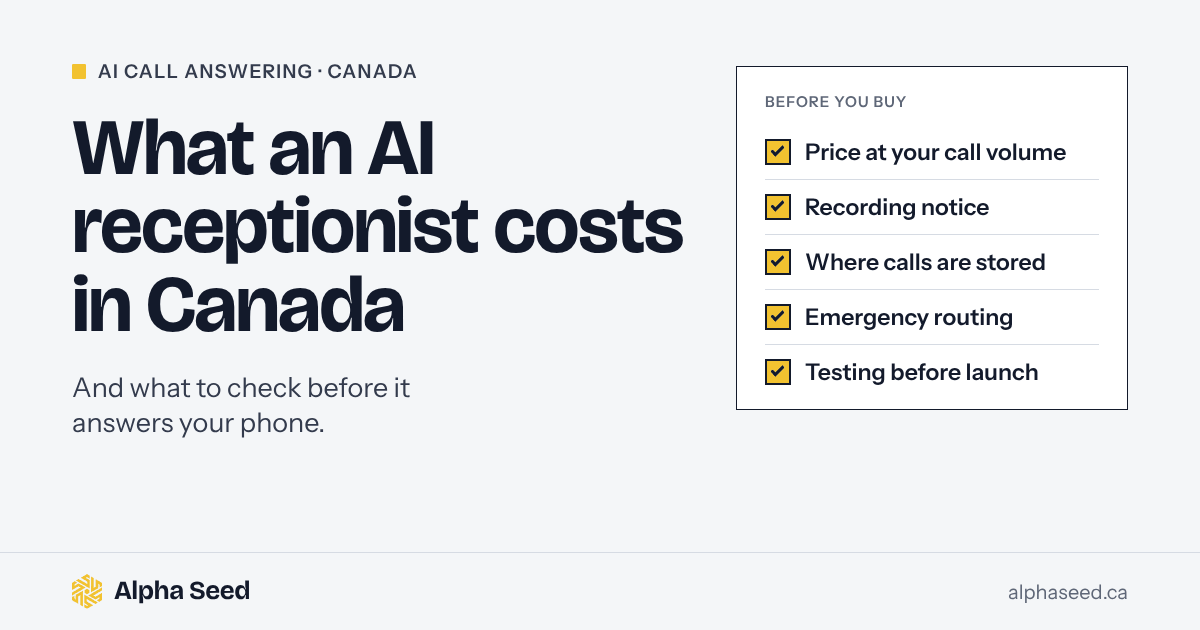
This guide is for owners of trades, clinics and other service businesses in Canada who are weighing an AI receptionist against voicemail or an answering service. It covers what the plans cost, the Canadian rules that apply, and how to test one before a customer hears it. We sell AI call answering as part of a monthly plan, so we’ve kept our own price out of the comparison and said where it fits.
What an AI receptionist does, and what it doesn’t
It answers your business line in your company’s name, asks the questions you give it, books the job or takes a message, and sends you a summary. Good setups hand a caller to a person when asked and send real emergencies to whoever is on call.
What it can’t do is make judgment calls you haven’t written down. It doesn’t know your after-hours fee, which areas you skip, or what counts as an emergency in your trade until someone puts that in a fact sheet. Most of the work in a good setup is that fact sheet and the testing, not the software.
Most Canadian businesses don’t yet use AI to deliver their services. In Statistics Canada’s survey for the second quarter of 2026, 19.2% of businesses said they had used AI to produce goods or deliver services in the previous 12 months, up from 12.2% a year earlier. In construction it was 9.2%.
What it costs in Canada right now
We read the pricing pages of AI receptionist products sold to Canadian businesses, and of a human answering service, on November 10, 2026. Prices are monthly; where a price depends on paying for a year, we say so. Where a page shows “$” without naming a currency, we say so.
| Product | Monthly price | Included | Beyond that |
|---|---|---|---|
| Jobber Receptionist | US$29 add-on for select Jobber plans, included in its Plus plan | 30 conversations | US$0.79 a conversation |
| Voxara | CA$49, $99, $247 or $597 | 100 to 2,000 minutes | 30¢ to 45¢ a minute |
| IONOS AI Receptionist | $39, $69 or $99, currency not stated | 30 calls, 100 calls or unlimited | 39¢ to 49¢ a call |
| Polaris Voice | $84, $169 or $254 billed annually; plans from $99 a month otherwise; currency not stated | 150 to 1,500 minutes | 30¢ to 75¢ a minute |
| Dialbox | CA$129, $299 or $699, custom from $999 | 100 to 900 AI-handled calls | No “automatic surprise usage charges”, it says; sustained higher use means upgrading |
| Posh, human answering | CA$65 to $1,900 | 0 to 1,000 minutes | CA$1.90 to $2.30 a minute |
The unit matters more than the headline price. A plan that charges per call costs the same for a 40-second wrong number as for a 10-minute booking. A plan that charges per minute rewards short calls. Jobber counts conversations instead.
What that comes to at 150 calls a month
Here’s an example with round numbers. They’re assumptions, not statistics: a shop gets 150 calls a month that the assistant answers, three minutes each on average, so 450 minutes. Using each product’s cheapest option at that volume:
| Product | Cheapest option at 150 calls, 450 minutes | Monthly cost |
|---|---|---|
| Jobber Receptionist | US$29 add-on plus 120 extra conversations, on top of a Jobber plan | US$123.80 plus the Jobber plan |
| IONOS AI Receptionist | 100-call plan plus 50 extra calls | $88.50, currency not stated |
| Voxara | CA$99 plan (300 minutes) plus 150 extra minutes | CA$159 |
| Polaris Voice | 500-minute plan | $169 billed annually, about $199 month to month, currency not stated |
| Dialbox | 300-call plan | CA$299 |
| Posh, human answering | 350-minute plan plus 100 extra minutes | CA$900 |
So software alone runs roughly $90 to $300 a month at that volume, and people cost several times more. None of these numbers include the time to write the fact sheet, test the assistant or check its calls.
Our Starter plan is $500 a month, and it isn’t a like-for-like price. It includes after-hours and overflow answering on a tracked number, plus your Google Business Profile, a review process, call tracking and a monthly report, with the fact sheet, setup and test calls done for you. Growth runs $1,500 to $4,000 a month and adds 24/7 answering that books into your calendar. Both are in CAD, plus GST, and both start with a 90-day paid pilot, then run month to month with 30 days’ notice. If all you need is a phone answered and you’re happy to set it up yourself, software on its own costs less, and we’ll tell you so. Our pricing page has the details.
The rules that apply in Canada
None of these rules stop you from using an AI receptionist. They change how you set one up. We aren’t lawyers. These are the official sources we’d read first.
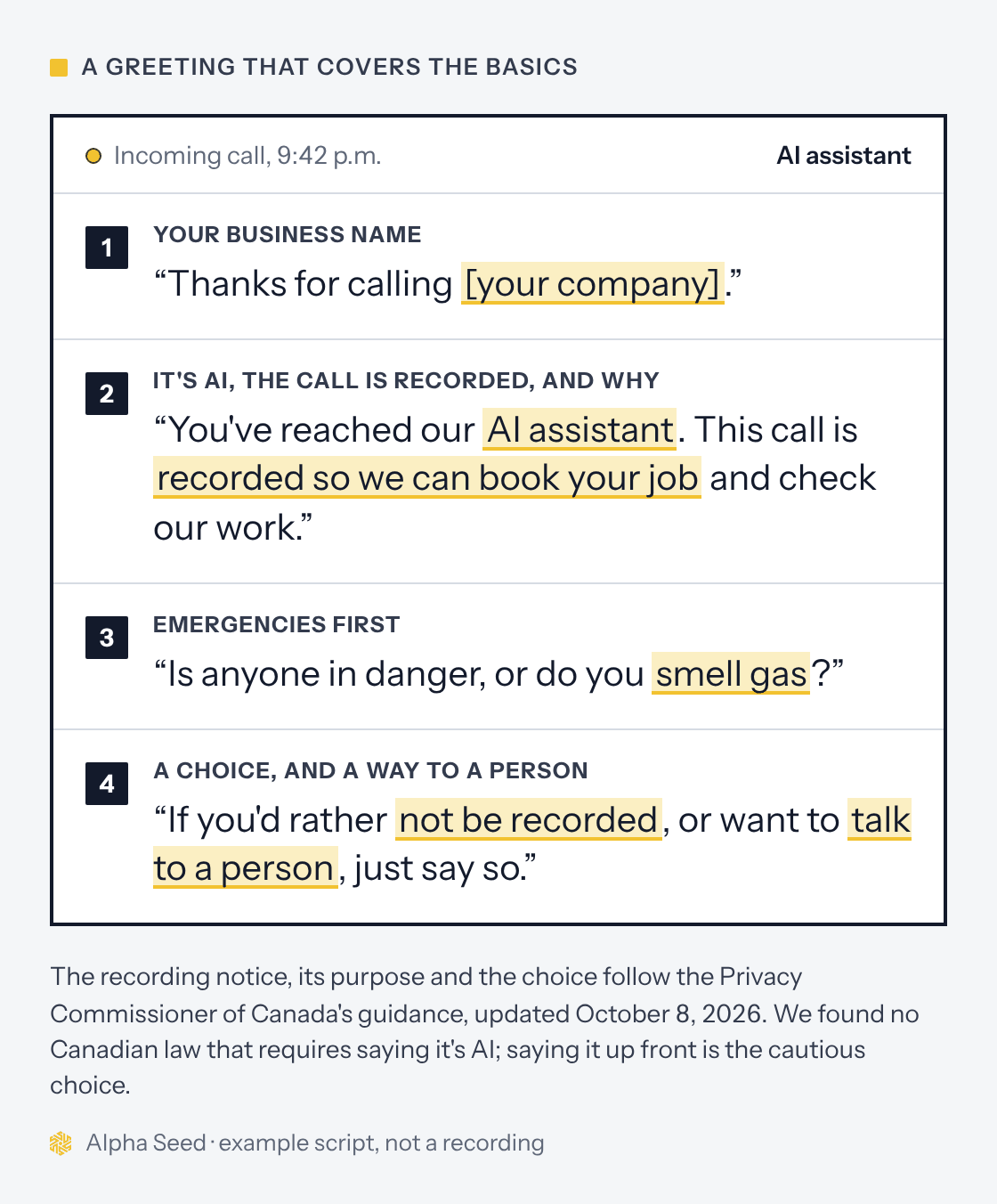
Recording. The Office of the Privacy Commissioner of Canada updated its guidance on recording customer calls on October 8, 2026, adding detail on voiceprints and other sensitive voice data. A business must tell the caller the call is being recorded and should say why, as clearly and narrowly as possible. If the caller carries on knowing that, consent is usually implied, but express consent may be required if the recording involves voiceprints or other sensitive information, such as health details. Callers must be given a choice about being recorded: if the recording isn’t integral to the service, you must offer an alternative, such as a callback from a person. If someone else handles your calls, you have to make sure they follow the same rules. If your assistant records calls, give the notice and the choice.
Calls handled outside Canada. Some of these products store or process data outside the country, and some don’t say. In Alberta, the Personal Information Protection Act requires a specific notice when a service provider outside Canada collects personal information for you, or when you transfer it to one. Before or while you collect it, you tell people how to get your policies and practices on that provider, and give the name or title of someone who can answer their questions. Alberta’s summary sets it out. British Columbia and Quebec have their own private-sector laws. In other provinces the federal law, PIPEDA, applies, and it also covers personal information that crosses borders. Read the vendor’s privacy policy, not its sales page. One Canadian product we checked says in one section that app data is stored and processed outside Canada, and in another that it uses Canadian-based servers.
Saying it’s AI. We found no Canadian law that makes an AI receptionist announce itself on calls you receive. The federal voluntary code for generative AI says systems that could be mistaken for humans should be clearly and prominently identified as AI. Our own assistant says it’s an AI assistant whenever a caller asks and never claims to be a person. Saying so in the greeting, as in the example below, is the more cautious choice.
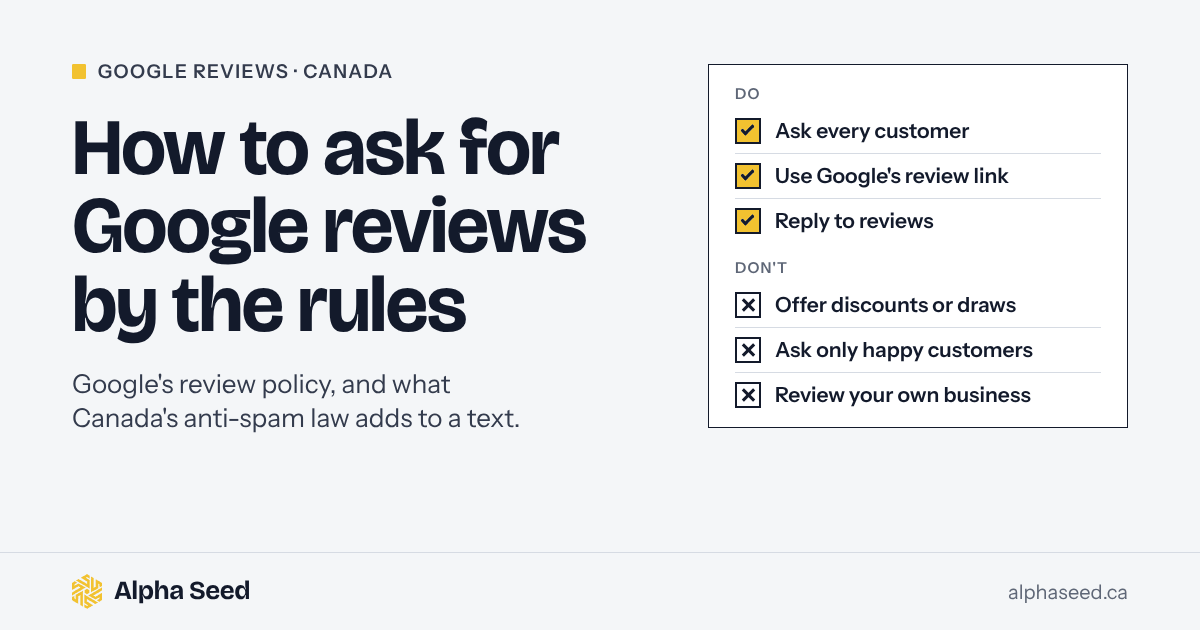
Texts after the call. A follow-up text that promotes your business is a commercial electronic message under Canada’s anti-spam law. A caller who asked about buying a service has made an inquiry, which under section 10 of the Act can give you implied consent for six months. The CRTC’s advice is not to assume it: if you’re unsure, ask for express consent. Each message needs your business name, mailing address and contact details, and a way to unsubscribe, and the CRTC’s guidance says unsubscribe requests must be handled within 10 business days. Review request texts raise the same questions; our guide to asking for Google reviews has a sample request that covers them.
Calls it makes. Answering is one thing. Calling out is another. Under the CRTC’s Unsolicited Telecommunications Rules, sales calls made with an automatic dialing-announcing device, which the rules define as automatic equipment that plays a pre-recorded or synthesized voice message, need the person’s express consent. In June 2026 the CRTC asked whether that definition captures technologies that use synthesized voices or AI. Replies were due August 11, and we found no decision yet.
Health clinics in Alberta. Dentists and other custodians under Alberta’s Health Information Act have an extra step. The Information and Privacy Commissioner of Alberta says a privacy impact assessment is mandatory before an AI system that handles health information goes in, and custodians must submit one before new information systems start. Plan for that before you sign anything.
A greeting that covers the basics
Several of those rules come down to the first 15 seconds of the call. Here’s what we’d want a caller to hear:
What to check before you buy
- The price at your volume. Count last month’s calls and how long they ran, then price each plan the way it bills: per minute, per call or per conversation. Check the currency.
- The greeting. Your business name, a recording notice with the reason, a choice about being recorded, and a straight answer when someone asks whether it’s a person. At least one vendor’s help page says telling callers that calls may be recorded “isn’t required” and leaves the law to you, so don’t rely on the default.
- Where calls are stored. Recordings, transcripts and caller details. If they leave Canada, sort out the notice before launch.
- Emergencies. What it does when a caller smells gas, has water coming through the ceiling, or describes a medical emergency. A caller who smells gas or has a carbon monoxide alarm going off should be told to get out and call 911, and real emergencies should reach your on-call person.
- Booking. Whether it writes the job into your calendar or job software, or only sends you a message.
- A way to a person. Callers who want a person should be able to reach one, or know when one will call back.
- Who checks it. Someone should read a sample of calls every week, at least for the first month.
- Leaving. Month-to-month terms, and whether you can take your recordings and contacts with you if you cancel.
Test it before a customer hears it
Call it yourself at least 20 times before it answers for real, and have someone who doesn’t know the script call too. Use the calls that go wrong in real life:
- A no-heat call at 11 p.m. in January
- A caller who smells gas
- A vague caller who can’t describe the problem
- An angry customer about a past job
- The wrong trade, or an address outside your area
- A caller who asks, “Am I talking to a real person?”
- A caller who says they don’t want to be recorded
- A caller who speaks French or another language your customers use
- A price question your fact sheet doesn’t answer
Read each transcript against your fact sheet, fix what it got wrong, and call again. Then go live after hours first, before you let it take daytime overflow.
When an AI receptionist isn’t worth it
- You already answer nearly every call. Time your line at busy hours first. If a person picks up almost every time, an AI receptionist adds little.
- Every call needs a judgment only you can make. Custom quotes and complicated jobs are better served by a quick callback than a scripted intake.
- You get a handful of calls a week. Voicemail and a fast callback may be enough.
- You’re an Alberta health custodian without a privacy impact assessment. Do the assessment, and submit it to the OIPC, first.
What we’d do first
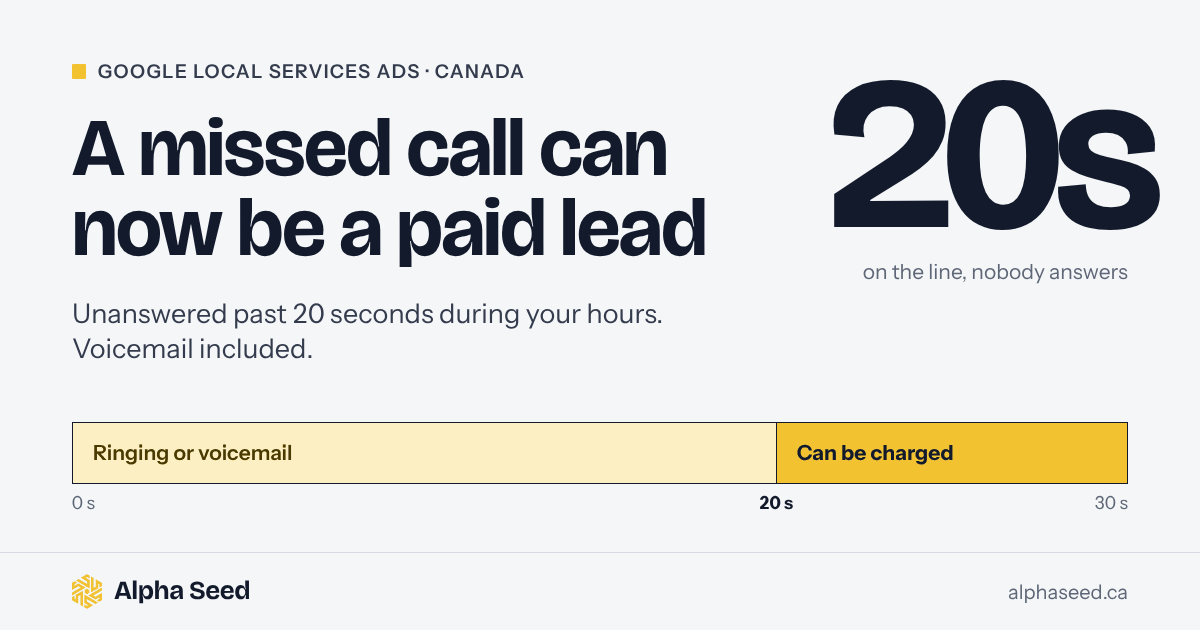
Pull last month’s call log from your phone provider. Count the calls nobody answered, when they came in and how long callers waited. If most of the misses are after hours, start there: it’s the cheapest part to cover and the easiest to test. If you run Google Local Services Ads, a missed call can now cost you a lead fee too. Here’s what Google’s new rule means for missed calls.
To hear how our assistant handles a call, listen to our sample after-hours call. For a check of your own line, our free scan calls your business outside your posted hours, records what happens and shows where you stand on Google Maps. You’ll hear back within one business day, and there’s no sales call unless you ask for one.
Sources
- Statistics Canada, Analysis on artificial intelligence use by businesses in Canada, second quarter of 2026, from the Canadian Survey on Business Conditions, released June 11, 2026.
- Office of the Privacy Commissioner of Canada, Recording of customer telephone calls, modified October 8, 2026, and Provincial laws that may apply instead of PIPEDA, read November 10, 2026.
- Government of Alberta, Collecting personal information, read November 10, 2026.
- Innovation, Science and Economic Development Canada, Voluntary Code of Conduct on the Responsible Development and Management of Advanced Generative AI Systems, read November 10, 2026.
- Justice Laws Website, Canada’s Anti-Spam Legislation, section 10, and the CRTC’s CASL FAQ, both read November 10, 2026.
- CRTC, Unsolicited Telecommunications Rules for telemarketers, read November 10, 2026, and Compliance and Enforcement Notice of Consultation CRTC 2026-132, Review of the Unsolicited Telecommunications Rules, June 11, 2026.
- Office of the Information and Privacy Commissioner of Alberta, Guidance for Small Custodians on the Use of Artificial Intelligence, November 2023, and Privacy Impact Assessment (PIA) Process Update, April 2026, read November 10, 2026.
- Pricing pages for Voxara, IONOS, Polaris Voice, Dialbox and Posh Canada, linked in the table; Jobber’s help article on its AI receptionist, linked in the table, and its pricing page (“All prices in USD”). All read November 10, 2026.
This guide is general information, not legal advice for your situation, and prices and rules change. Check each vendor’s current pricing page and the official sources before relying on any detail here.
AI receptionist questions
Is it legal to use an AI receptionist in Canada?
Nothing we found stops a business from having AI answer its own incoming calls. Privacy law still applies: tell callers the call is recorded and why, give them a choice, and handle their details under your province’s privacy law or PIPEDA. Sales calls are a different matter: the CRTC’s rules require the person’s express consent before automatic equipment plays a pre-recorded or synthesized voice message on a sales call, and the CRTC is reviewing how that applies to AI voices. We aren’t lawyers, so check your own setup.
Does an AI receptionist have to say it's AI?
We found no Canadian law that requires it on calls you receive. The federal government’s voluntary code for generative AI asks that systems that could be mistaken for a person be clearly identified as AI. Whatever the greeting says, a caller who asks should always get a straight answer.
How much does an AI receptionist cost in Canada?
Entry prices in our comparison, checked November 10, 2026, ran from a US$29 add-on for Jobber users to CA$129 a month for a standalone plan, priced by calls, minutes or conversations. In our example of 150 calls a month averaging three minutes, the cheapest suitable plans came to roughly $90 to $300, and a human answering service came to about CA$900.
Can an AI receptionist book appointments?
Most of the plans we checked list booking. Check whether it writes the job into your calendar or job software, or only sends you a message to deal with in the morning.
Where are the calls stored?
It depends on the product, and many don’t say on their pricing page. Read the privacy policy. If you’re in Alberta and a service provider outside Canada collects or receives callers’ details for you, the Personal Information Protection Act requires a specific notice to callers.
Can it answer in French?
Some products list French or bilingual support. Test it with a real French-speaking caller before you rely on it.
Keep reading
-
How to ask for Google reviews: Google's rules and CASL
How to ask customers for Google reviews in Canada without breaking Google's rules or the anti-spam law, with a request you can send after every job.
-
Google now charges for missed Local Services Ads calls: what to change
Google can now bill you for a Local Services Ads call you never answered, voicemail included. What the rule covers in Canada and what a trade should change.
-
Google Local Services Ads in Canada, explained for business owners
How Google Local Services Ads work in Canada in 2026: who is eligible, the Google Guaranteed and Google Screened badges, pay-per-lead pricing, the documents you need, how Google credits bad leads, and the 2026 move into Performance Max. Written for Calgary and Alberta trades.
See where your calls and your Google profile stand
The free scan shows where you rank on Google Maps across your service area and what happens when someone calls you after hours. One email, no obligation.