How to ask for Google reviews: Google's rules and CASL
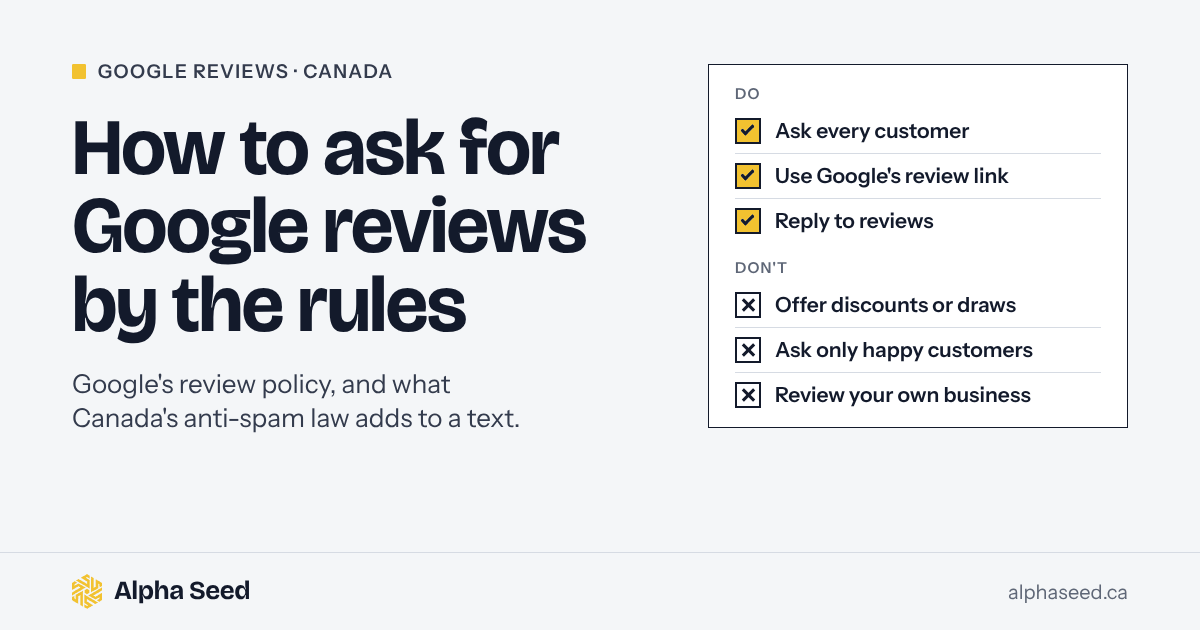
Ask every customer, soon after the job, with Google's own review link, and offer nothing in return. Google bans incentives and asking only happy customers, and if you ask by text or email, Canada's anti-spam law adds a few lines your message needs.
This guide is for owners of trades and other local service businesses in Calgary and across Canada who want more Google reviews without putting their profile at risk. Google says more reviews and positive ratings can help your local ranking, so reviews are part of how we manage a Google Business Profile for our clients.
What Google allows, and what it bans
Asking is allowed, and Google makes it easy. Its help page on requesting reviews suggests putting your review link on receipts, in thank-you emails, at the end of a chat, or on a printed QR code.
What gets businesses in trouble is how they ask. Google’s policy on prohibited content covers fake engagement and rating manipulation, and it’s specific:
| Allowed | Not allowed |
|---|---|
| Asking every customer for a review | Asking only customers you expect to be happy, or discouraging negative reviews |
| Sharing Google’s review link or QR code | Offering anything in return: a discount, a free service, a gift card, a draw |
| Asking soon after the job | Requiring or pressuring customers to review on the spot |
| Replying to reviews, good and bad | Reviews from staff, former staff or anyone with a conflict of interest |
| Telling staff to mention the link | Giving staff a review quota, or asking for reviews that say certain things, such as the technician’s name |
| Asking an unhappy customer what went wrong, and still sending them the review link | Offering something to change or remove a negative review |
Two of these are easy to break without meaning to: the incentive and the filter. A $25 credit on the next tune-up is an incentive. So is entering every reviewer in a draw. And a “How did we do?” message that sends five-star answers to Google and everyone else to a private form is the selective soliciting that Google’s policy bans.
What happens if Google catches it
Google lists the restrictions it can put on a profile for review violations. It can stop the profile from receiving new reviews, unpublish its existing reviews for a set period, and show customers a warning that fake reviews were removed. It says it notifies owners by email if it plans to apply a restriction.
Google also asks customers. PPC Land reported in June 2026 that Google Maps asks some people visiting a business, “Does this business offer rewards in exchange for reviews?” Colan Nielsen of the local SEO agency Sterling Sky was quoted saying that when a user answers yes, “those reviews are getting deleted.” The report includes no confirmation from Google.
The law is the other risk. The Competition Bureau has acted against reviews that mislead customers. In 2015, Bell Canada agreed to pay $1.25 million after employees were encouraged to post reviews of its apps without saying they worked there. The Bureau found they gave the impression of coming from independent customers.
Asking by text or email: what CASL adds
If you ask by text or email, Canada’s anti-spam law comes in. The CRTC’s FAQ says CASL doesn’t apply to a survey with no commercial content, but one that also encourages the reader to buy is covered. A review request that adds “book your spring tune-up” is commercial. The safe habit is to treat every review request as a commercial electronic message.
That means three things:
- Consent. A customer who bought a service from you in the past two years has given implied consent through an existing business relationship, under section 10 of the Act. Someone who only asked for a quote gives you six months. If you’re not sure, ask in person or on the phone, and note the answer: “Can we text you a link to review the job?” Don’t send that question by text or email. Under the Act, a message asking for consent is itself a commercial message.
- Who you are. Your business name, a mailing address, and a phone number, email or website. If that doesn’t fit in a text, the regulations let you put it on a web page with a clear link in the message.
- A way out. An unsubscribe that works for at least 60 days after you send, and the CRTC says requests must be handled within 10 business days. “Reply STOP to opt out,” honoured by your texting tool, is the usual way. CRTC guidance also describes a link to a page where people can unsubscribe, so put one on the page your text links to, and have the tool accept STOP and UNSUBSCRIBE.
We aren’t lawyers. If an agency or texting service writes the message or chooses who gets it, it may need to be named in the message too. If you send review requests at scale, or to people who never bought from you, get advice on your own messages.
A request you can send after every job
Here’s an example text, written to Google’s policy and CASL as we read them:
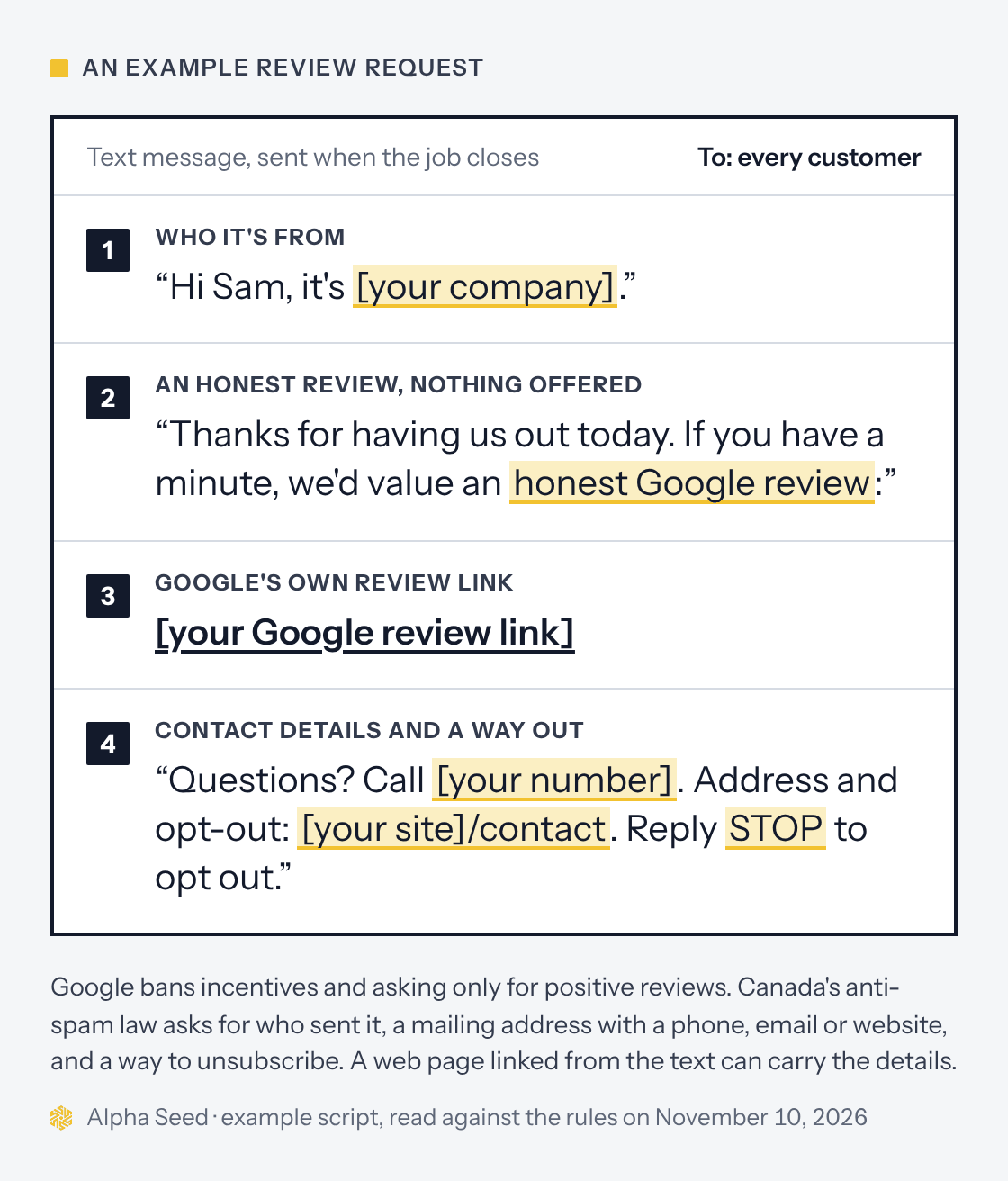
Send it the same day the job closes, while the work is fresh. If your job software can send it automatically when you mark a job complete, use that, but check that it goes to every customer and doesn’t hold back the ones who gave a low rating first.
Train the crew to say one line at the door, for example: “You’ll get a text from us with a link. If you have a minute, an honest review helps.” That’s it. No standing over the customer while they type, no tablet handed across the counter, and no hint about what to write.
On paper, the same rules apply. A QR code on the invoice or on a card left with the paperwork is fine, because the customer chooses whether and when to use it. Don’t print “Leave us 5 stars.” Ask for an honest review and let the rating be theirs.
Replying to reviews
Google’s tips for getting more reviews say to respond in a timely manner and to focus on replies where you can share a helpful update or answer a question, instead of the same thank-you every time. A short, specific reply to a bad review shows the next customer how you handle problems.
Keep the customer’s details out of a public reply. Their address, what was wrong in their house and what they paid are theirs, not yours to post. If something needs sorting out, offer to call.
When a review breaks the rules
Sometimes the problem is a review, not your request. A competitor’s fake one-star, a review meant for another company, or one full of abuse can be reported. Google’s page on reporting inappropriate reviews sets out two ways: the Report option next to the review in your Business Profile, or Google’s Reviews Management Tool, which also shows the status of each report. Google says evaluation typically takes several days, and if it finds no violation you can appeal each review once, up to 10 reviews at a time.
What Google won’t do is remove a review because you disagree with it. Its page says only reviews that violate its policies are eligible for removal, and that negative reviews aren’t always a sign of poor service. A fair one-star with a calm, useful reply often does less damage than you’d expect. Arguing with it in public does more.
When this isn’t the right approach
- You’re a regulated health professional. Check your college’s advertising rules before you ask. The College of Physiotherapists of Alberta, for example, tells physiotherapists to be careful not to elicit reviews from patients.
- Your profile has a bigger problem. A suspended profile, the wrong primary category or a wrong address costs you more than a few missing reviews. Fix those first.
- Something’s going wrong on jobs right now. Reviews will say so. Sort out the problem, then ask.
What we’d do first
Get your review link from your Business Profile today. Put it in a text that goes out when each job closes, to every customer, using the four parts above. Add the QR code to your invoice. Then reply to every new review within a few days, and look at where you stand in a month.
If you’d like to see how you compare first, our free scan shows where you rank on Google Maps across your service area and calls your line after hours. For trades in the furnace and plumbing business, our HVAC and plumbing page explains what wins the map for heating and plumbing searches in Calgary. Our Starter plan includes a review process that follows Google’s rules; the pricing page has the details.
Sources
- Google, Prohibited and restricted content (Maps user contributed content policy), Create a Google link or QR code to request reviews, Tips to get more reviews, Business Profile restrictions for policy violations, Report inappropriate reviews on your Business Profile and Tips to improve your local ranking on Google, read November 10, 2026.
- PPC Land, Google Maps is now asking users if businesses paid for their reviews, June 5, 2026.
- CBC News, Bell hit with $1.25M fine for planting 4-star reviews for phone apps, October 2015.
- Justice Laws Website, Canada’s Anti-Spam Legislation, section 10, and Electronic Commerce Protection Regulations (CRTC), read November 10, 2026.
- CRTC, Frequently asked questions about Canada’s anti-spam legislation, read November 10, 2026.
- College of Physiotherapists of Alberta, Good practice: 10 examples of unprofessional advertising, updated July 13, 2026.
This guide is general information, not legal advice for your situation, and Google’s policies change. Check Google’s current help pages and the official sources before relying on any detail here.
Review request questions
Can I offer a discount or a prize draw for a Google review?
No. Google prohibits offering incentives, like free or discounted goods or services, in exchange for reviews, and treats it as fake engagement. A draw for everyone who leaves a review is still an incentive.
Can I ask only the customers I know were happy?
No. Google’s policy says businesses must not discourage negative reviews or selectively solicit positive ones. Ask every customer the same way.
Can my staff or family leave reviews?
No. Google treats reviews based on a conflict of interest, including current or former employment and family relationships, as a violation. In 2015, Bell Canada agreed to pay $1.25 million after the Competition Bureau found its employees had posted app reviews without saying they worked there.
Do review request texts and emails fall under CASL?
If the message promotes your business in any way, treat it as a commercial electronic message: it needs consent, your business name and contact details, and a way to unsubscribe. A customer who bought from you in the past two years has given implied consent under the law’s existing business relationship rule. We aren’t lawyers, so check your own messages.
What happens if Google finds incentivized or fake reviews?
Google says it can stop a profile from getting new reviews, unpublish its existing reviews for a set period, and show customers a warning that fake reviews were removed. It says it notifies owners by email if it plans to apply a restriction.
Where do I find my Google review link?
In your Business Profile, select Read reviews, then Get more reviews, and copy the link or download the QR code. Google says review QR codes can only be made from a computer browser, not a phone.
Keep reading
-
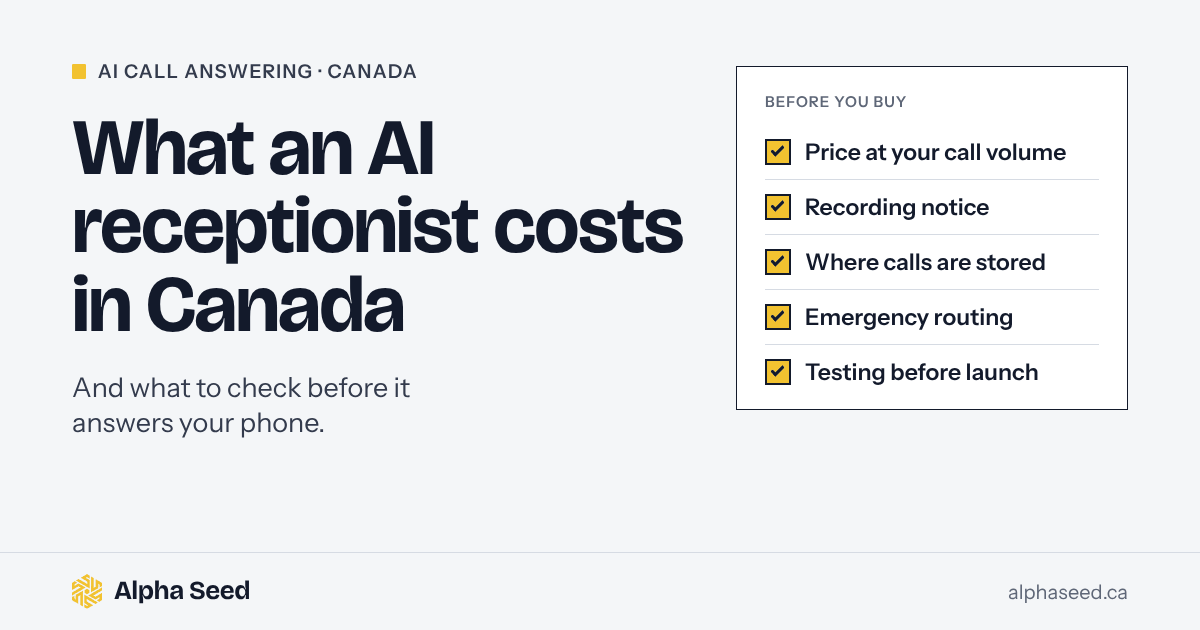
AI receptionist in Canada: what it costs and what to check
What an AI receptionist costs in Canada, with prices checked November 10, 2026, and the recording, privacy and emergency checks to make before it answers.
-
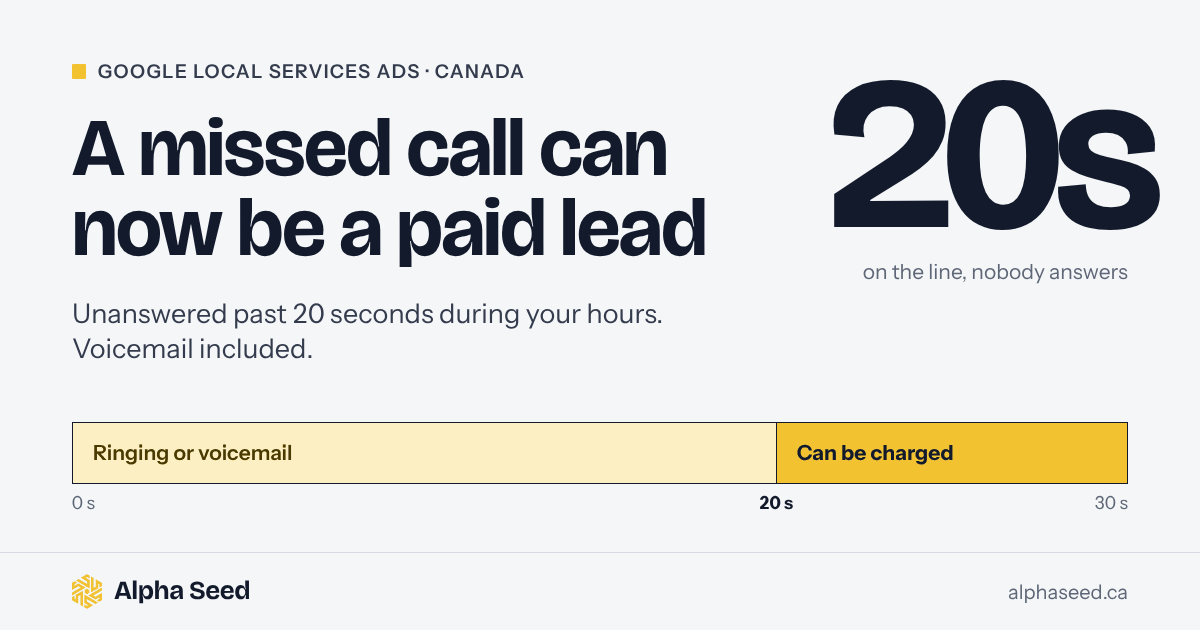
Google now charges for missed Local Services Ads calls: what to change
Google can now bill you for a Local Services Ads call you never answered, voicemail included. What the rule covers in Canada and what a trade should change.
-
Google Local Services Ads in Canada, explained for business owners
How Google Local Services Ads work in Canada in 2026: who is eligible, the Google Guaranteed and Google Screened badges, pay-per-lead pricing, the documents you need, how Google credits bad leads, and the 2026 move into Performance Max. Written for Calgary and Alberta trades.
See where your calls and your Google profile stand
The free scan shows where you rank on Google Maps across your service area and what happens when someone calls you after hours. One email, no obligation.